
Free Small Business Bookkeeping Spreadsheet
A simple income and expense tracker with a 12-month profit and loss report that fills in by itself. Works in Excel and Google Sheets. No email, no sign-up.
- No sign-up. The download starts straight away.
- Free for your own business. Please don't resell or re-share the file.
Want the full set? The Small Business Spreadsheet Bundle is $27.30.
Get the Small Business Spreadsheet Bundle30% off with code LAUNCH30, already applied when you click Buy.
What's in the free download
- Income log: date, customer, category, account, amount and sales tax worked out from your rate
- Expense log with categories grouped for your profit and loss (cost of sales, operating, not on P&L)
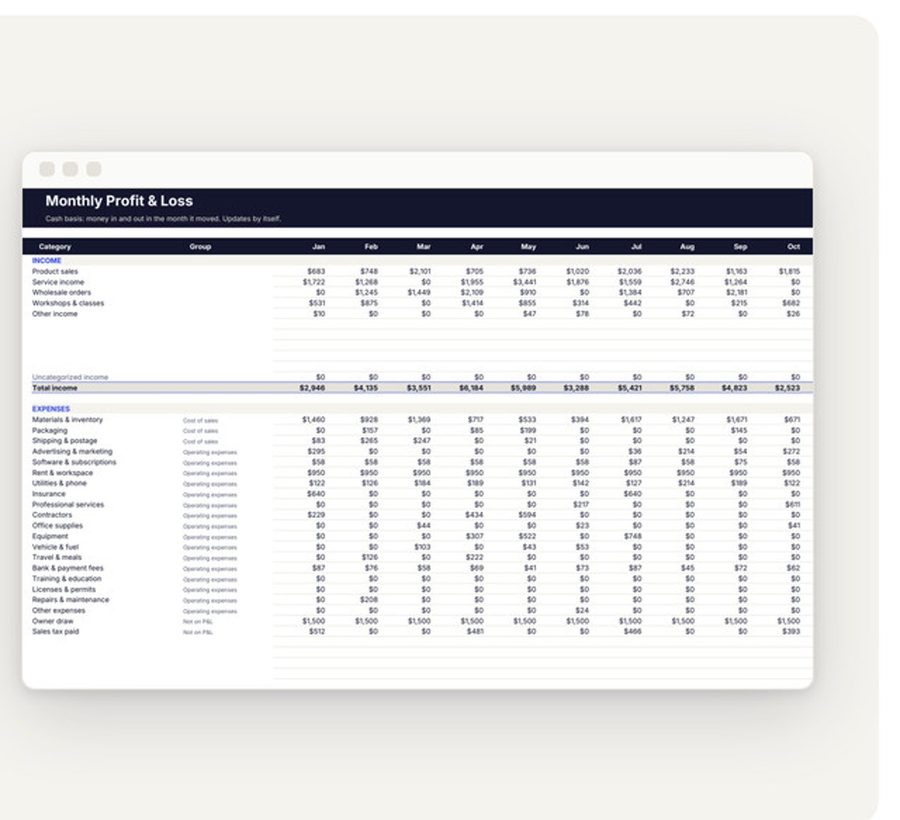
- Monthly P&L: income, expenses by group and profit for all 12 months, updated as you type
- Settings tab for your business name, year, opening balance, tax rate and your own category lists
- Sample rows so you can see it working, and a Start here tab with the steps
How to use the free bookkeeping spreadsheet
- Open the file in Excel, or upload it to Google Drive and choose Open with Google Sheets. In Excel, click Enable Editing so the formulas calculate.
- On Settings, type your business name, the year, your bank balance on January 1 and your sales tax rate.
- Check the income and expense categories on Settings. Rename them to match how your business works; every tab picks up the change.
- On Income, add one row for each payment you receive. Mark Taxable? as Yes and the sales tax is split out of the amount for you.
- On Expenses, add one row for each payment out, including owner draws. Pick a category from the dropdown.
- Open Monthly P&L. Income, expenses and profit for each month are already there.
What the colors mean
- Pale yellow cells are for you to type in.
- White cells hold formulas. Leave them alone and they keep every total right.
- Bold yellow flags something to look at: a month with a loss, a row dated outside the year, or a row with no category.
A 15-minute weekly routine
- Download last week's transactions from your bank or payment app.
- Add each payment in to Income and each payment out to Expenses.
- Glance at the bold yellow cells and fix anything flagged.
- Check this month's profit on Monthly P&L.
Doing it weekly keeps it to a few minutes, and your numbers are ready when tax season or a loan application comes round.
Free spreadsheet or the full bookkeeping file?
| Feature | Free | Full Small Business Bookkeeping |
|---|---|---|
| Income and expense logs | Yes | Yes |
| Sales tax worked out per row | Yes | Yes |
| 12-month profit and loss | Yes | Yes |
| Dashboard with charts | No | Yes |
| Quarterly summary and tax set-aside | No | Yes |
| Mileage log | No | Yes |
| Cash balance tracker and receipts checklist | No | Yes |
The full Small Business Bookkeeping file comes in the Small Business Spreadsheet Bundle, with a CRM, an inventory and profit tracker, a rental property manager, a business plan template and a social media planner.
Expense categories most small businesses need
| Category | What goes in it | Report group |
|---|---|---|
| Materials and inventory | What you buy to make or resell products | Cost of sales |
| Packaging and shipping | Boxes, mailers, labels and postage for orders | Cost of sales |
| Advertising and marketing | Ads, printing, sponsorships, promo items | Operating |
| Software and subscriptions | Website, email, design and accounting tools | Operating |
| Rent and workspace | Studio, shop or coworking rent | Operating |
| Bank and payment fees | Card processing, platform and bank charges | Operating |
| Owner draw | Money you pay yourself from the business | Not on P&L |
| Sales tax paid | Sales tax you send to the tax office | Not on P&L |
The categories live on the Settings tab, so you can rename them or add your own. Keep the list short: ten to fifteen categories is enough for most small businesses, and fewer categories means fewer wrong guesses when you log a row.
Cash basis vs accrual, in plain words
Cash basis records a sale when the money lands in your account and an expense when the money leaves. Accrual records a sale when you send the invoice and an expense when you get the bill, even if no money has moved yet. Most sole traders and small shops use cash basis because it matches the bank balance and is simpler to keep. This spreadsheet is cash basis.
Records worth keeping with your spreadsheet
- A receipt or invoice for every expense, saved as a photo or PDF in one folder per month
- Monthly bank and payment platform statements
- Invoices you sent and the date each one was paid
- Sales tax returns and the amounts you paid
Ask your tax professional how long to keep records where you live; many tax offices expect several years.
Questions
Is it really free? Yes. No email and no sign-up. The download is a ZIP with the .xlsx file and a short read-me.
Does it work in Google Sheets? Yes. Upload the .xlsx to Google Drive and open it with Google Sheets.
Is it cash or accrual? Cash basis: a sale counts when the money arrives and an expense when it leaves. That's how most small businesses keep their books.
Is this tax advice? No. It's a tool for keeping your own records. Ask a tax professional about your situation.
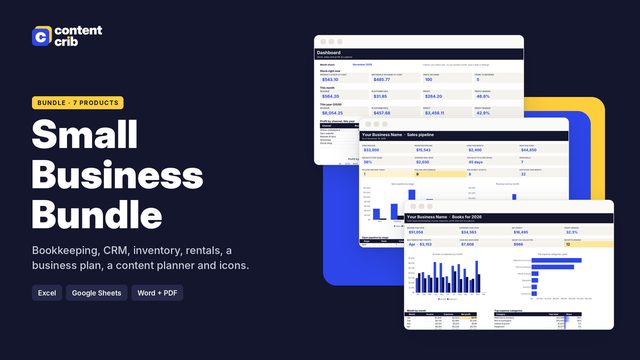
Want the full set?
The Small Business Spreadsheet Bundle: Eleven spreadsheets for the business side of a small business, with the formulas already done: bookkeeping, a CRM and sales pipeline, inventory and profit, a rental property manager, a business plan with 3-year financials, a social media planner, a pricing calculator, a 13-week cash flow forecast, a year-end tax prep organizer, a mileage log and an employee shift schedule. Type in your numbers and the dashboards and reports update. $27.30, instant download.
Get the Small Business Spreadsheet Bundle