
How to Print Gift Tags at Home: Paper, Settings and Cutting Tips
To print gift tags at home, use a light cardstock your printer can handle, set the print scale to 100% or actual size, choose your printer's heavy paper or cardstock setting, and print a test page on plain paper first. Then cut the tags with a paper trimmer or scissors, punch a hole, and add string or ribbon. If the tags are editable, type the names before you print so every tag is ready to go.
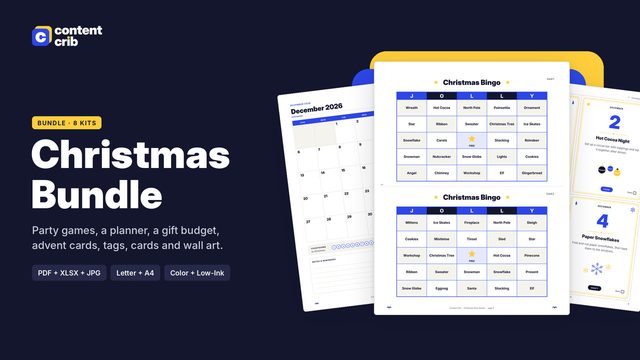 The template for thisChristmas Printables Bundle $10.50 · 30% off→
What you need
- A home inkjet or laser printer
- Light to medium cardstock, or matte photo paper
- A paper trimmer, or sharp scissors and a ruler
- A hole punch
- Twine, ribbon or string
- Optional: a corner rounder or a circle punch for round tags
Choosing paper
Tags need to be stiff enough to hold their shape and survive being tied to a gift. Plain printer paper is too thin. Cardstock is the usual choice.
| Paper | Good for | Watch out for |
|---|---|---|
| Light cardstock | Most home printers, easy to cut | Can bend if the gift is handled a lot |
| Medium or heavy cardstock | Sturdy tags that feel like store-bought | Check your printer's maximum paper weight |
| Matte photo paper | Rich color, crisp details | Thinner than cardstock, harder to write on with some pens |
| Kraft cardstock | A rustic look | Colors print darker and less bright |
| Sticker paper | Labels that stick straight onto wrapping | No hole or string needed, so pick a design that suits a sticker |
White or cream paper gives the truest colors. Check your printer's manual for the heaviest paper it can feed, and use the rear or manual feed tray if it has one, since it gives thick paper a straighter path.
Printer settings that matter
- Scale: 100% or "actual size." "Fit to page" shrinks the tags and throws off cutting lines.
- Paper type: cardstock, heavy or matte. This tells the printer to slow down and use the right amount of ink.
- Quality: high or best. Tags are small, so detail matters.
- Paper size: match the file. US Letter or A4, whichever your file and paper are.
- Print a test page on plain paper. Check the colors, the names and that nothing is cut off.
If colors look faded, check your ink levels. If they look too dark, especially on kraft paper, try a lighter design.
Editing names before you print
Editable tags let you type "To" and "From" names, or a short message, before printing. A few tips:
- Open the file in a PDF reader that supports form fields. Many free readers do.
- Click into each field and type. Keep names short so the text stays a good size.
- Save a copy with your names, and keep the blank original for next year.
- Check spelling on the test print, not on screen.
- Prefer handwriting? Print the tags blank and use a fine-tip pen that does not smudge on your paper.
Cutting tags neatly
Rectangle tags
A paper trimmer gives the straightest edges and is fastest for a full sheet. Cut long rows first, then cut each row into tags. With scissors, use a ruler and a pencil line, and cut just inside the line so no white edge shows.
Round tags
A circle punch the same size as the tag is the quickest way. Turn the punch upside down so you can see the design and line it up. Without a punch, cut slowly with small scissors, turning the paper instead of the scissors.
Finishing touches
- Use a corner rounder for softer rectangle tags.
- Punch the hole a little in from the edge so it does not tear.
- Thread twine or ribbon through and tie with a simple knot or bow.
- Tape the tag to the gift if you do not want it to swing.
Troubleshooting
| Problem | Fix |
|---|---|
| Paper jams | Feed one sheet at a time, use the rear tray, or use lighter cardstock |
| Ink smudges | Let sheets dry fully before cutting, and use the right paper setting |
| Tags print too small | Set scale to 100% or actual size |
| Edges show white | Cut just inside the line |
| Names look cut off | Shorten the text or reduce the font size in the field |
Gift tag checklist
- Cardstock your printer can handle
- Names typed and spelling checked
- Test print on plain paper
- Scale at 100%, paper type set
- Sheets fully dry before cutting
- Trimmer or scissors, hole punch and twine ready
- Spare blank tags for last-minute gifts
The Content Crib Christmas Gift Tags set includes six editable designs in both rectangle and round shapes, laid out to print and cut on standard paper.
Skip the blank page
The Christmas Printables Bundle includes the Christmas Gift Tags, laid out and ready to use. $10.50, instant download.
Get the Christmas Printables BundleRelated guides
- How to Print Christmas Cards at Home (Plus What to Write Inside)
- Advent Calendar Activity Ideas: 24 Family Activities and How to Set Them Up
- How to Do Secret Santa: Organizing, Budget, Drawing Names and the Reveal
- White Elephant Gift Exchange Rules: Classic Game, Variations and Dice Version
- Christmas Wall Art Sizes: Frame Ratios and How to Print at Home or a Print Shop