
How to Calculate Your Debt Payoff Date (With Formula)
To calculate a debt payoff date you need three numbers: the balance, the interest rate and the amount you pay each month. Divide the yearly rate by 12 to get the monthly rate, work out how many payments it takes to reach zero, then count that many months forward from your first payment. A spreadsheet does this in one formula.
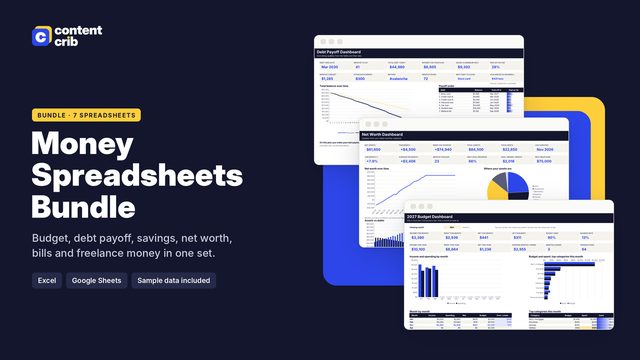 The template for thisMoney Spreadsheets Bundle $13.30 · 30% off→
Step by step
- Find the current balance. Use the latest statement or the payoff figure from your lender.
- Find the interest rate (APR) and divide it by 12. A 22% APR is about 1.83% a month.
- Decide your fixed monthly payment. It must be larger than the first month's interest, or the balance never falls.
- Calculate the number of payments with the formula below, and round up to a whole month.
- Count forward that many months from your first payment to get the payoff date.
- Repeat with a different payment to see how the date moves.
The formula
In a spreadsheet, the number of payments is:
=NPER(rate / 12, -payment, balance)
The payment is entered as a negative because it is money going out. To turn the result into a date, round it up and add it to the month before your first payment with =EDATE(start, months).
By hand, the same calculation is: months = -ln(1 - monthly rate x balance / payment) / ln(1 + monthly rate), where ln is the natural logarithm on a calculator.
Worked example
A card has a balance of 4,800 at 22% APR, and you pay 200 a month.
- Monthly rate: 22% / 12 = 1.833%.
- First month's interest: 4,800 x 0.01833 = 88. So 112 of the first 200 payment reduces the balance.
- Number of payments: =NPER(0.22/12, -200, 4800) gives 31.9, which rounds up to 32 months. The last payment is a little smaller than the rest.
- Total interest: about 1,583.
- If the first payment is in January 2027, the 32nd payment falls in August 2029.
What an extra 100 a month does
| Monthly payment | Months | Total interest | Last payment (from Jan 2027) |
|---|---|---|---|
| 200 | 32 | 1,583 | August 2029 |
| 300 | 20 | 934 | August 2028 |
Paying 300 instead of 200 clears the card a full year sooner and saves about 650 in interest. The effect is strongest on high-rate debts, because more of each payment goes to the balance instead of interest.
When the simple formula is not enough
The one-line formula assumes one debt, a fixed rate and a fixed payment. Real life is messier.
- Several debts. When one is paid off, its payment usually rolls onto the next. The payoff date of the second debt then depends on the first. You need a month-by-month schedule to follow that.
- Shrinking minimums. Card minimums are often a percentage of the balance, so they fall over time. If you pay only the minimum, the payoff date can be decades away.
- New spending. The formula assumes the balance only goes down.
- Rate changes and fees. Promotional rates end and variable rates move. Recalculate when they do.
- Daily interest. Many lenders calculate interest daily. A monthly estimate is usually within a payment or so of the real figure, but your lender's payoff quote is the exact number.
Build a simple schedule
A schedule is a table with one row per month. Each row has four steps:
- Opening balance (last month's closing balance).
- Interest = opening balance x monthly rate.
- Payment = your fixed payment, or the remaining balance plus interest if that is smaller.
- Closing balance = opening balance + interest - payment.
Copy the row down until the closing balance reaches zero. The row where that happens is your payoff month, and the sum of the interest column is the total cost of the debt.
Quick checks
- If your payment is less than the monthly interest, the formula returns an error. That is the maths telling you the debt will never be paid off at that payment.
- If the payoff date looks too good, check you divided the rate by 12.
- Recalculate every few months using the real balance, not the planned one.
This is general information to help you understand the calculation, not financial advice. For exact payoff figures, ask your lender.
Let the spreadsheet do it
The Content Crib Debt Payoff Planner handles the cases a single formula cannot. Enter up to 15 debts, pick snowball, avalanche or a custom order, and it builds a month-by-month schedule of up to 30 years with rolled-over payments. It shows your debt-free date, the interest saved compared with minimums only, and a compare tab for the different methods, plus a payment log for what you really paid. It works in Excel, Google Sheets and Apple Numbers.
Skip the blank page
The Money Spreadsheets Bundle includes the Debt Payoff Planner, laid out and ready to use. $13.30, instant download.
Get the Money Spreadsheets Bundle