
How to Make a Bill Payment Calendar (Step by Step)
A bill payment calendar is one month laid out day by day, with every bill written on the date you will pay it and every payday marked. To make one, list your bills with their due days and amounts, mark your paydays, set a pay date a few days ahead of each due date, and note which bills are on autopay. The Consumer Financial Protection Bureau (CFPB) gives the same starting advice: list your bills and due dates on a calendar.
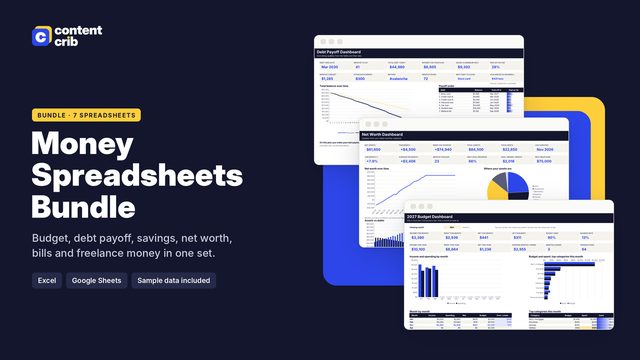 The template for thisMoney Spreadsheets Bundle $13.30 · 30% off→
Step 1: List every bill
Go through the last two or three months of bank and card statements and write down every bill that repeats. For each one, record:
- Who you pay
- The due day of the month
- The amount, or a typical amount if it changes
- How you pay it: autopay, online bill pay, card, check or cash
- Which account it comes out of
Include the ones that are easy to miss: quarterly and yearly bills such as insurance, memberships and renewals. Put those on the month they fall in and make a note in the month before.
Step 2: Mark your paydays
Write each payday on the calendar before any bill. Most late payments are not about forgetting. They happen because the money arrived after the bill was due. Seeing paydays and due dates on one page shows you where the tight spots are.
Step 3: Match due dates to paydays
Sort the bills into groups by which paycheck will cover them. If you are paid twice a month, you will have two groups. Add up each group.
| Paid from | Covers bills due | What to check |
|---|---|---|
| First paycheck of the month | From that payday up to the day before the next payday | Is the group total comfortably less than the paycheck? |
| Second paycheck of the month | From that payday to the day before the first payday of next month | Does rent or the mortgage land here with too much else? |
If one group is much heavier than the other, ask to move a due date. The CFPB notes that some creditors let you choose your due day of the month. A phone call or a setting in your online account can shift a card or utility bill into the lighter half.
Step 4: Set a pay date, not just a due date
The due date is the deadline. The pay date is when you act. Put the pay date on the calendar and keep the due date beside it in smaller writing.
- Leave a buffer. The CFPB points out that a payment has to be received by the due date, not just sent on it, and that mail and online bill pay can be slow. Paying a few days early covers that.
- Know the credit card cutoff. According to the CFPB, card issuers generally cannot treat a payment as late if it is received by 5 p.m. on the due date. Issuers can set a different reasonable cutoff for online payments, so check yours.
- Weekends and holidays. If a card's due date falls on a day the issuer does not receive mail, the CFPB says the deadline moves to 5 p.m. on the next business day. Do not count on this for other kinds of bills. Pay before the weekend.
- Mailing a check. Mail it early enough to arrive by the due date.
Step 5: Decide what goes on autopay
Autopay is useful, but it is not right for every bill. The CFPB's guide to ways to pay your bills sets out both sides.
| Pros of autopay | Cons of autopay |
|---|---|
| Saves time | You could accidentally spend more than you have in the account |
| Lowers the chance of paying late | If the balance is too low, both your bank and the company may charge fees |
| Suits bills that are frequent and the same amount each time | Amounts can change, so you still have to watch for notices |
| Some lenders offer a lower loan rate for it | Stopping it takes steps with both the company and your bank |
A workable rule: put fixed, predictable bills on autopay from an account that always has a cushion, and pay variable bills by hand after you have seen the amount. Still write autopay bills on the calendar, marked with an A, so you know when money will leave and can check that it did.
If you need to stop an automatic payment, the CFPB says to tell the company you are revoking your authorization and tell your bank as well. A stop payment order should be given to the bank at least three business days before the payment is scheduled. Cancelling the payment does not cancel the contract, so end the service separately.
Step 6: Lay out the month
Use a one-page monthly grid, on paper or in a spreadsheet. On each day write:
- Paydays, in a color of their own
- Each bill on its pay date, with the amount
- An A for autopay or an M for manual
- A box to tick when it is paid
- A running total of bills for each pay period at the bottom
Watch for due days that a month does not have. A bill due on the 31st needs a plan for 30-day months and February, so check when the company takes it and write that date in.
If you would rather not rebuild the grid every month, the Subscription Tracker Spreadsheet does this part for you. Its Bills tab holds each bill's due day, amount, an autopay yes or no and a paid-this-month tick, and its Bill calendar tab shows the current month as a calendar with each day's bill total, with today highlighted and overdue bills in red. If several of your bills are debt payments, the Debt Payoff Planner can sit alongside it to plan how those balances come down.
How to avoid late fees
- Check the calendar on payday. Pay everything in that pay period's group in one sitting.
- Do a weekly five-minute look. Tick what cleared and look at the seven days ahead.
- Pay at least the minimum. On credit cards, the CFPB notes you must pay at least the minimum each month to avoid late fees.
- Expect the statement. Card issuers must have procedures to mail statements at least 21 days before the due date. If one has not turned up, contact the issuer and ask for your balance.
- Ask if you slip. If a payment is late, the CFPB suggests asking the issuer to consider waiving the fee.
Frequently asked questions
Should I organize bills by due date or by paycheck?
Both. Put them on the calendar by date, then group them by the paycheck that pays them. The grouping is what tells you whether the money will be there.
Is it better to put everything on autopay?
Not always. Autopay lowers the chance of a late payment, but the CFPB warns that you could accidentally spend more than you have. Keep variable or large bills manual if your balance runs close.
What time is a credit card payment due?
The CFPB says issuers generally cannot treat a payment as late if it is received by 5 p.m. on the due date, in the time zone on the billing statement. Online and in-person cutoffs can differ.
Paper or spreadsheet?
Use whichever you will open every week. Paper is quick to read on the fridge. A spreadsheet adds up totals and flags overdue bills for you.
Sources
- Consumer Financial Protection Bureau, A Newcomer's Guide to Managing Money: Ways to pay your bills (2022)
- Consumer Financial Protection Bureau, When is my credit card payment considered late? (reviewed 2024)
- Consumer Financial Protection Bureau, If my credit card bill comes late, can I get more time to pay? (reviewed 2022)
- Consumer Financial Protection Bureau, You have protections when it comes to automatic debit payments from your account (2015, archived)
This is general information, not financial or legal advice.
Skip the blank page
The Money Spreadsheets Bundle includes the Subscription and Bill Tracker, laid out and ready to use. $13.30, instant download.
Get the Money Spreadsheets Bundle