
How to Track Subscriptions So Nothing Renews by Surprise
To track your subscriptions, list every recurring charge in one place with its price, billing cycle and next renewal date, then convert each one to a monthly cost so you can compare them. Check the list once a month and set a reminder a few days before any renewal you might cancel. The hard part is finding them all the first time.
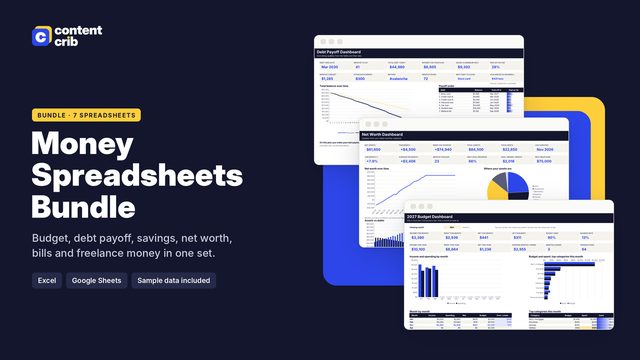 The template for thisMoney Spreadsheets Bundle $13.30 · 30% off→
Step by step
- Go through three months of statements. Check every bank account and card and highlight anything that repeats. Then check the last twelve months for yearly charges.
- Check where subscriptions hide. Look at the subscriptions page in your phone's app store account, your online payment accounts, and your email for words like receipt, renewal and trial.
- Write each one down with the name, price, billing cycle (weekly, monthly, quarterly, yearly), the date it last charged and the payment method.
- Work out the next renewal date by adding one cycle to the last charge date.
- Convert everything to a monthly and a yearly cost so a 119.99 yearly plan can be compared with a 10.99 monthly one.
- Set a cancel reminder a few days before any renewal you are unsure about, and review the full list monthly.
What to record for each subscription
- Name and what it is for.
- Price per billing cycle.
- Billing cycle.
- Next renewal date.
- Payment method, so you know which card to watch.
- Who uses it in a shared household.
- How to cancel and any notice period.
- A value rating, for example 1 to 5, for how much you actually use it.
Converting to a monthly cost
| Billing cycle | Monthly equivalent | Yearly equivalent |
|---|---|---|
| Weekly | Price x 52 / 12 | Price x 52 |
| Monthly | Price | Price x 12 |
| Quarterly | Price / 3 | Price x 4 |
| Yearly | Price / 12 | Price |
Worked example
| Subscription | Price | Cycle | Monthly cost |
|---|---|---|---|
| Video streaming | 15.99 | Monthly | 15.99 |
| Music streaming | 10.99 | Monthly | 10.99 |
| Cloud storage | 119.99 | Yearly | 10.00 |
| News app | 4.99 | Weekly | 21.62 |
| Snack box | 45.00 | Quarterly | 15.00 |
| Photo editing app | 7.99 | Monthly | 7.99 |
| Fitness class pass | 24.00 | Monthly | 24.00 |
| Total | 105.59 |
That is 105.59 a month, or about 1,267 a year. The surprise is the news app. At 4.99 it looks like the cheapest item on the list, but because it bills weekly it is the second most expensive. This is exactly what converting to a monthly figure is for.
Working out renewal dates
The next renewal is the last charge date plus one cycle. A yearly plan last charged on 14 March 2026 renews on 14 March 2027. A quarterly plan charged on 5 January renews on 5 April. In a spreadsheet, adding months to a date is one formula, so the next date can update itself each time a renewal passes.
Yearly plans need the most attention. They renew once, for a large amount, long after you have forgotten signing up.
Free trials
Add a free trial to your list the day you start it, with the date the first charge will happen and a reminder two or three days before. Many trials need cancelling before the end date to avoid a charge, so check the terms when you sign up.
Your monthly check
- Look at what renews in the next 30 days.
- Check for price rises on recent statements and update the list.
- Re-rate anything you have not used this month.
- Cancel or pause anything rated low that is about to renew.
- Add any new sign-ups.
Common mistakes
- Tracking only monthly charges. Yearly and quarterly ones are the ones that surprise you.
- Checking only one card. Old subscriptions often sit on a card you rarely look at.
- Forgetting shared plans. Ask everyone in the household what they have signed up for.
- Deleting an app and assuming that cancels it. Usually it does not. Cancel in the account settings and keep the confirmation.
A tracker that does the date maths
The Content Crib Subscription and Bill Tracker lists each subscription with its billing cycle and works out the next renewal date automatically. It shows the monthly and yearly equivalent of every plan, has cancel reminders and a value rating, and also covers your monthly bills by due day with a bill calendar. It works in Excel, Google Sheets and Apple Numbers.
Skip the blank page
The Money Spreadsheets Bundle includes the Subscription and Bill Tracker, laid out and ready to use. $13.30, instant download.
Get the Money Spreadsheets Bundle