
Subscription Audit: A Checklist for Cutting What You Don't Use
A subscription audit is a review of every recurring charge you pay, where you decide to keep, downgrade, pause or cancel each one. It takes under an hour: find every subscription, work out what each really costs per month and per use, and act on the ones that are not worth it. Most people find at least one they had forgotten about.
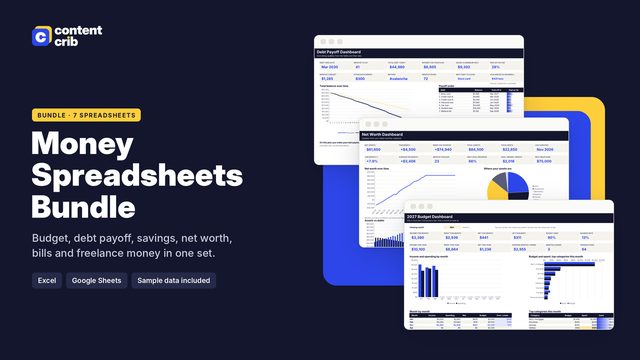 The template for thisMoney Spreadsheets Bundle $13.30 · 30% off→
Before you start
Have these ready: statements for every card and bank account covering the last twelve months, access to your phone's app store account, and your email inbox.
Part 1: Find everything
- Scan twelve months of statements for repeating charges, including yearly ones.
- Check the subscriptions section of your app store account on each device.
- Check online payment accounts for automatic payments.
- Search your email for: subscription, renewal, receipt, trial, membership, auto-renew.
- Ask other people in the household what they pay for.
- Include memberships and service plans: fitness, clubs, software, storage, insurance add-ons, delivery passes, warranties.
Part 2: Put a real cost on each one
List each subscription with its monthly equivalent. Divide yearly prices by 12, divide quarterly prices by 3, and multiply weekly prices by 52 then divide by 12.
Then estimate how often you used it in the last month and work out a cost per use.
| Subscription | Monthly cost | Uses last month | Cost per use |
|---|---|---|---|
| Video streaming | 15.99 | 20 | 0.80 |
| Fitness class pass | 24.00 | 2 | 12.00 |
| Photo editing app | 7.99 | 0 | Not used |
| Cloud storage | 10.00 | Daily | About 0.33 |
Cost per use is not the only test. Storage or a backup plan might be used silently every day. But it quickly shows which ones you are paying for out of habit.
Part 3: Rate and decide
Give each subscription a simple value rating from 1 to 5.
- 5: used constantly, would re-buy today without thinking.
- 4: used often, worth the price.
- 3: used sometimes. Look for a cheaper tier.
- 2: rarely used. Pause or cancel.
- 1: forgotten or unused. Cancel.
For each one, ask the key question: if this were not already set up, would I sign up for it today at this price?
Part 4: Act
For anything rated 3 or below, pick one action.
- Cancel. Do it now, while you are looking at it. Save the confirmation email.
- Pause. Many services let you pause for a month or more.
- Downgrade. A cheaper tier or an ad-supported plan may cover what you use.
- Switch billing. If you are certain you will keep something all year, a yearly plan is often cheaper per month. If you are unsure, monthly keeps you flexible.
- Rotate. Keep one entertainment service at a time and swap every few months.
- Share. A family or group plan can cost less per person where the terms allow it.
Check for these while you are there
- Duplicates. Two storage plans, or the same service paid for by two people.
- Price rises. Compare the latest charge with one from a year ago.
- Trials that turned into paid plans.
- Add-ons you no longer need on phone, internet or insurance.
- Old card details. A subscription on an expired card can lapse or fail without you noticing, which matters if it is something you need.
Worked example of the saving
Suppose your list totals 105.59 a month. You cancel the unused photo app (7.99), cancel the weekly news app (21.62 a month) and pause the snack box (15.00 a month). That removes 44.61 a month, or about 535 a year, and leaves 60.98 a month for things you actually use.
After the audit
- Set a cancel reminder a few days before each yearly renewal.
- Add new subscriptions to the list the day you sign up.
- Repeat a quick review monthly and a full audit every six months.
- Decide where the saved money goes, or it will quietly disappear into general spending.
Cancelling checklist
- Cancel through the account or app store settings, not by deleting the app.
- Note any notice period and the date access ends.
- Save the cancellation confirmation.
- Check the next statement to confirm the charge has stopped.
Keep the audit in a spreadsheet
The Content Crib Subscription and Bill Tracker is built for this. Each subscription has a billing cycle, an automatic next renewal date, a monthly and yearly equivalent, a value rating and a cancel reminder. It also tracks monthly bills by due day and lays them out on a bill calendar. It works in Excel, Google Sheets and Apple Numbers.
Skip the blank page
The Money Spreadsheets Bundle includes the Subscription and Bill Tracker, laid out and ready to use. $13.30, instant download.
Get the Money Spreadsheets Bundle