
Profit and Loss Statement for a Small Business: How to Make One
A profit and loss statement, often shortened to P&L, adds up your income for a period, subtracts your expenses, and shows what is left as profit or loss. To make one, total your income by category, total your expenses by category, and subtract. Monthly is the most useful period for a small business, with a quarterly view on top.
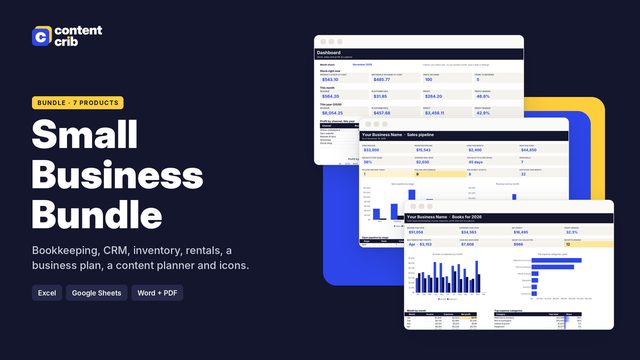 The template for thisSmall Business Spreadsheet Bundle $20.30 · 30% off→
The basic layout
- Income (also called revenue or sales): everything the business earned in the period.
- Cost of goods sold: the direct cost of what you sold, such as materials or stock. Service businesses may not have this line.
- Gross profit: income minus cost of goods sold.
- Operating expenses: the costs of running the business, such as software, fees, advertising and phone.
- Net profit: gross profit minus operating expenses.
A very small business can use a simpler version: total income, total expenses, profit.
Worked example: one month
| Line | Amount |
|---|---|
| Product sales | 6,200 |
| Services | 1,850 |
| Total income | 8,050 |
| Materials | 1,480 |
| Software | 95 |
| Selling fees | 312 |
| Shipping | 420 |
| Advertising | 260 |
| Phone | 85 |
| Supplies | 148 |
| Total expenses | 2,800 |
| Net profit | 5,250 |
Net profit margin is profit divided by income: 5,250 / 8,050 = 65.2%. In other words, about 65 of every 100 earned is left after costs.
A quarterly view
| Month | Income | Expenses | Profit |
|---|---|---|---|
| Month 1 | 7,400 | 4,300 | 3,100 |
| Month 2 | 8,050 | 2,800 | 5,250 |
| Month 3 | 9,100 | 5,150 | 3,950 |
| Quarter | 24,550 | 12,250 | 12,300 |
Month 2 looks like the best month, but that is partly because materials were bought in months 1 and 3. The quarter smooths this out. If the owner sets aside 25% of profit for future tax, the quarter's amount is 12,300 x 0.25 = 3,075. The percentage is the owner's own choice; ask an accountant what is sensible for you. This is not tax advice.
How to build one
- Choose the period: a month, a quarter or a year.
- List every income transaction in that period with a category.
- List every expense transaction in that period with a category.
- Total each category.
- Add the income categories for total income and the expense categories for total expenses.
- Subtract expenses from income.
If you keep a ledger with dates and categories, a spreadsheet can total each category for each month automatically.
How to read it
- Is profit positive? Start with the bottom line.
- What is the trend? Compare with last month and the same month last year if you have it.
- What is the margin? A falling margin on rising sales means costs are growing faster than income.
- Which expenses are largest? The top two or three categories are where a saving makes a difference.
- Is anything odd? A category that suddenly doubles is either a real change or a recording error.
What a P&L does not show
- Cash in the bank. Profit and cash are different. Loan repayments, money you take out for yourself and tax payments reduce cash but usually do not appear as expenses on a P&L.
- What you own and owe. That is a balance sheet.
- Timing effects. On a cash basis, a customer paying late moves income into a later period.
Common mistakes
- Including personal spending.
- Recording owner drawings as an expense. Money you pay yourself as a sole trader usually sits outside the P&L.
- Recording income net of fees. If a platform takes 312 in fees before paying you, record the full sale as income and 312 as an expense.
- Too many categories. Thirty tiny categories hide the picture. Eight to twelve is usually plenty.
- Only looking once a year. By then it is too late to change anything.
This guide is general information, not tax, legal or accounting advice. Lenders and tax authorities may require a specific format, so check what applies to you.
A P&L that builds itself
The Content Crib Small Business Bookkeeping template produces a monthly profit and loss from cash-basis income and expense ledgers with categories. It also includes a quarterly summary with a set-aside percentage you choose, a mileage log, a cash balance view and a receipt checklist. It works in Excel, Google Sheets and Apple Numbers.
Skip the blank page
The Small Business Spreadsheet Bundle includes the Small Business Bookkeeping spreadsheet, laid out and ready to use. $20.30, instant download.
Get the Small Business Spreadsheet BundleRelated guides
- How to Do Bookkeeping for a Small Business (Beginner Guide)
- Cash Basis vs Accrual Accounting: The Difference in Plain English
- Simple CRM Spreadsheet: What to Track and How to Set It Up
- Sales Pipeline Stages Explained (With Examples for Small Business)
- How to Calculate a Weighted Pipeline (Formula and Example)